Spotify Playlist Helper
Turning your music library into something you can actually use. Repo available here.
Overview
Spotify lacks advanced tools for organizing your library.
You can like songs and make playlists, but you can’t answer basic questions like “Which songs have I liked but never organized?'“
I built a lightweight browser tool that connects directly to Spotify and lets you query, analyze, and act on your own data.
The Problem
I make a lot of playlists according to various moods and genres, and mostly listen to my favorite music via these playlists. The problem is: I have "liked" a lot of songs that I haven’t yet added to these playlists. And over time I realized I had hundreds of liked songs sitting unused. Spotify has no way to surface what those “orphaned” songs are.
More broadly, your library is effectively a black box. You can’t explore it, filter it, or take action across it in any meaningful way.
The Solution
A simple web app that pulls your library data and makes it usable.
You can:
Find liked songs that aren’t in any playlist
Explore your music taste (genres, artists, trends over time)
Filter and sort any playlist
Turn any result into a new playlist in seconds
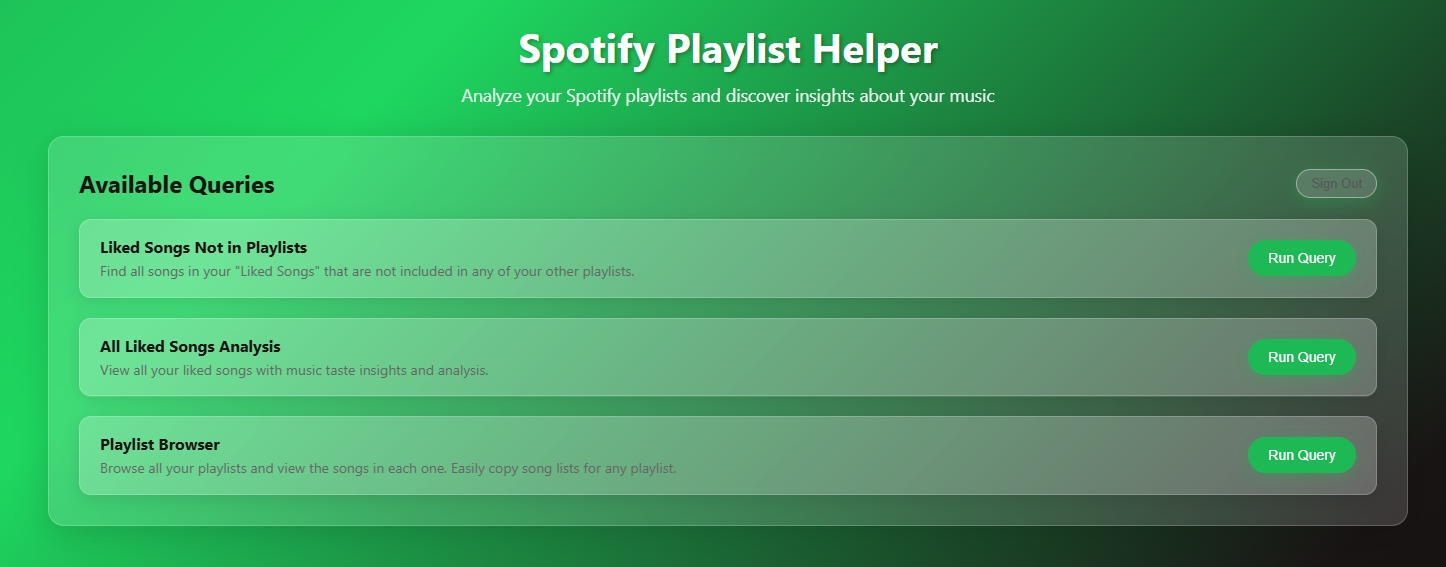
After entering user credentials, users are presented with the following page to run various queries on their music data:
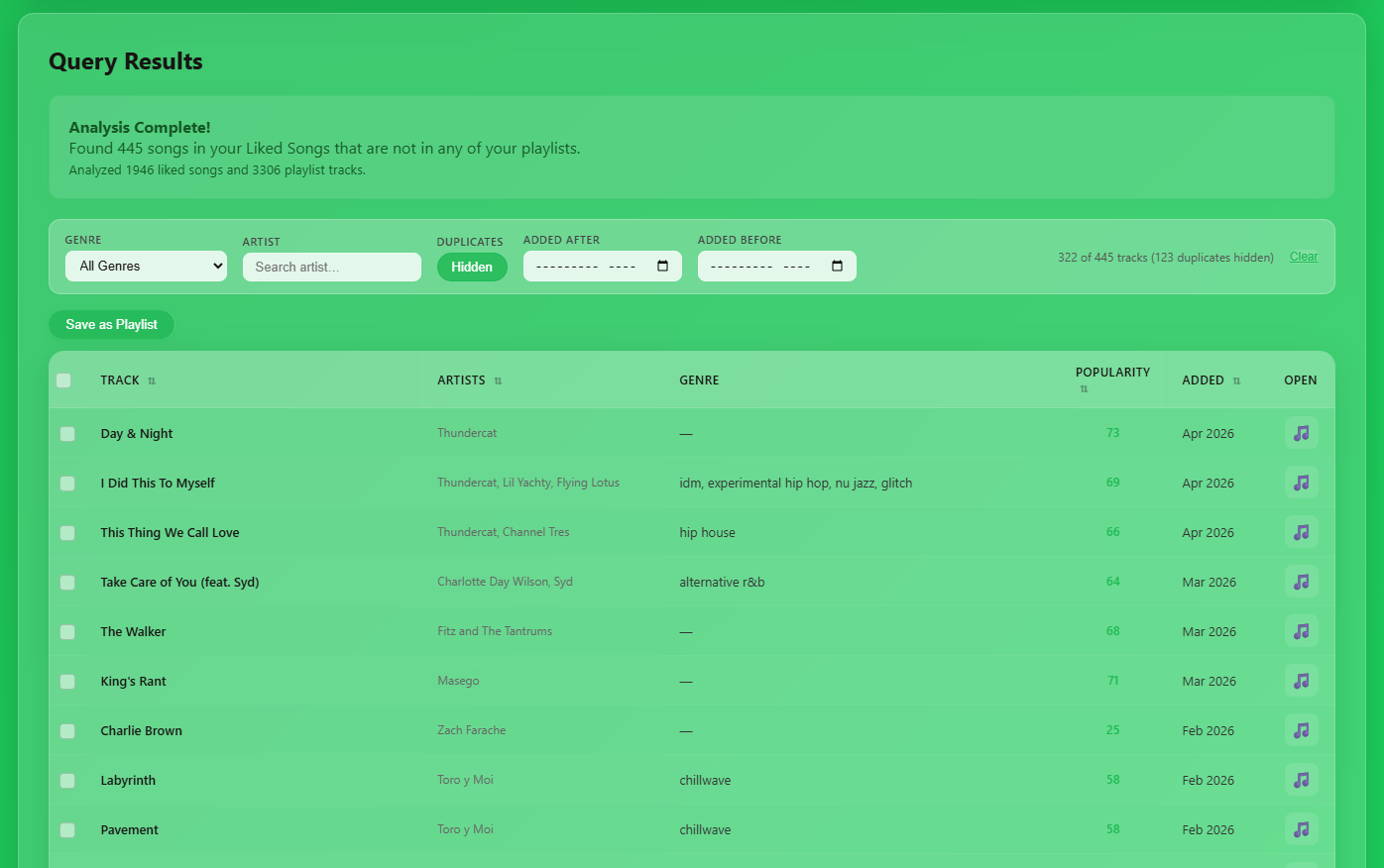
Example result for “Liked Songs Not in Playlists” query, with table filters and sorting and playlist functionality:
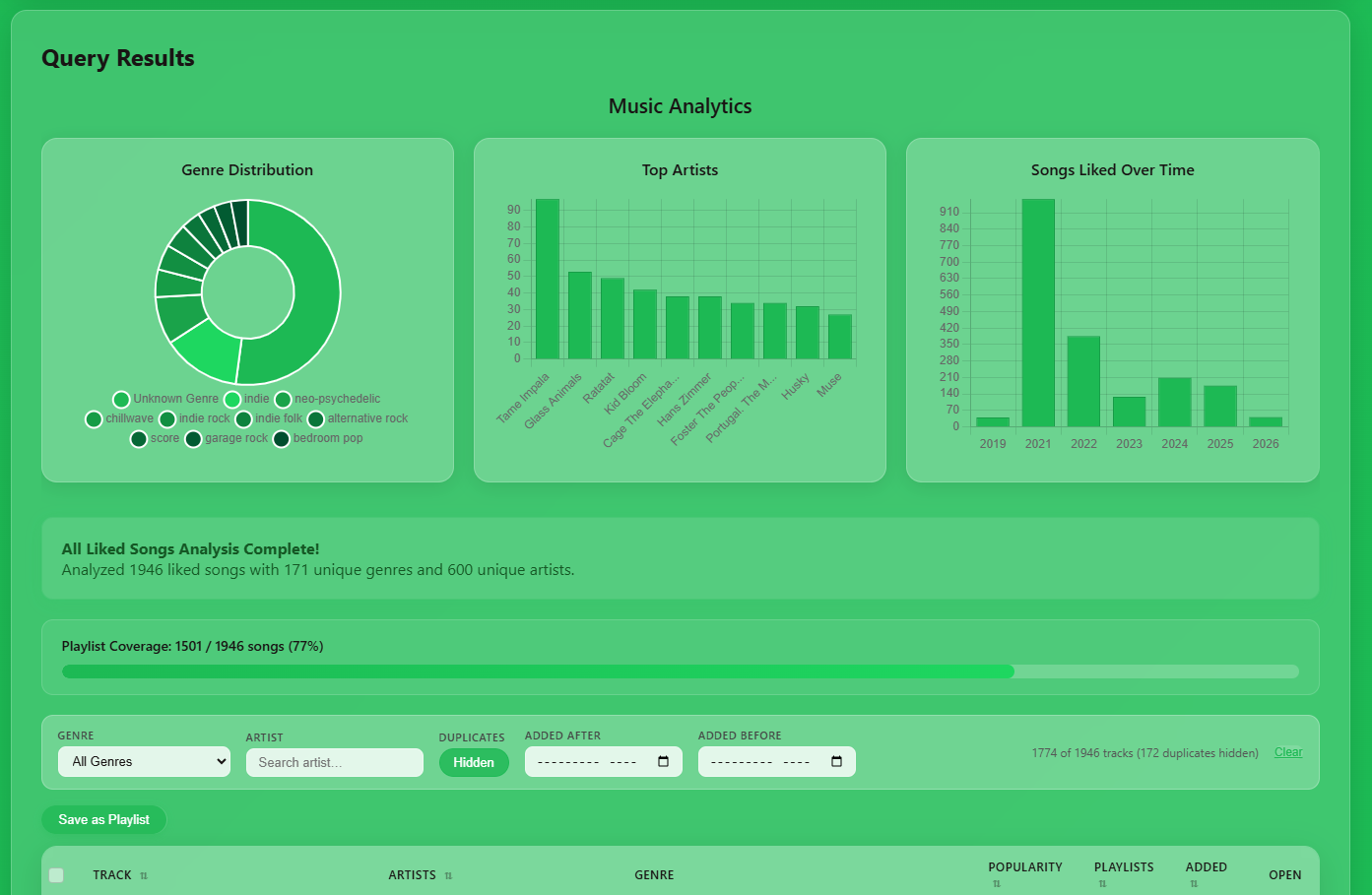
Example result for “All Liked Songs” query (Spotify API is limited; no listen data available, only song and playlist metadata):
How It Works
The app connects directly to the Spotify API using your own credentials and pulls your full library into the browser. From there, everything runs locally.
It compares your liked songs against every playlist, applies filtering and deduplication logic, and returns clean, actionable results. Once the data is loaded, queries are instant.
Key Decisions
I built this as a pure client-side tool:
No backend
No accounts
No data collection
Your credentials are encrypted locally, and all data stays in your browser. It’s faster, simpler, and avoids the trust issues most tools introduce.